
Build a whole programme from one template.
Describe the work once as a FRAGNET, list your locations, and The Matrix generates the full Primavera P6 schedule, with logic and resources, in minutes instead of days.
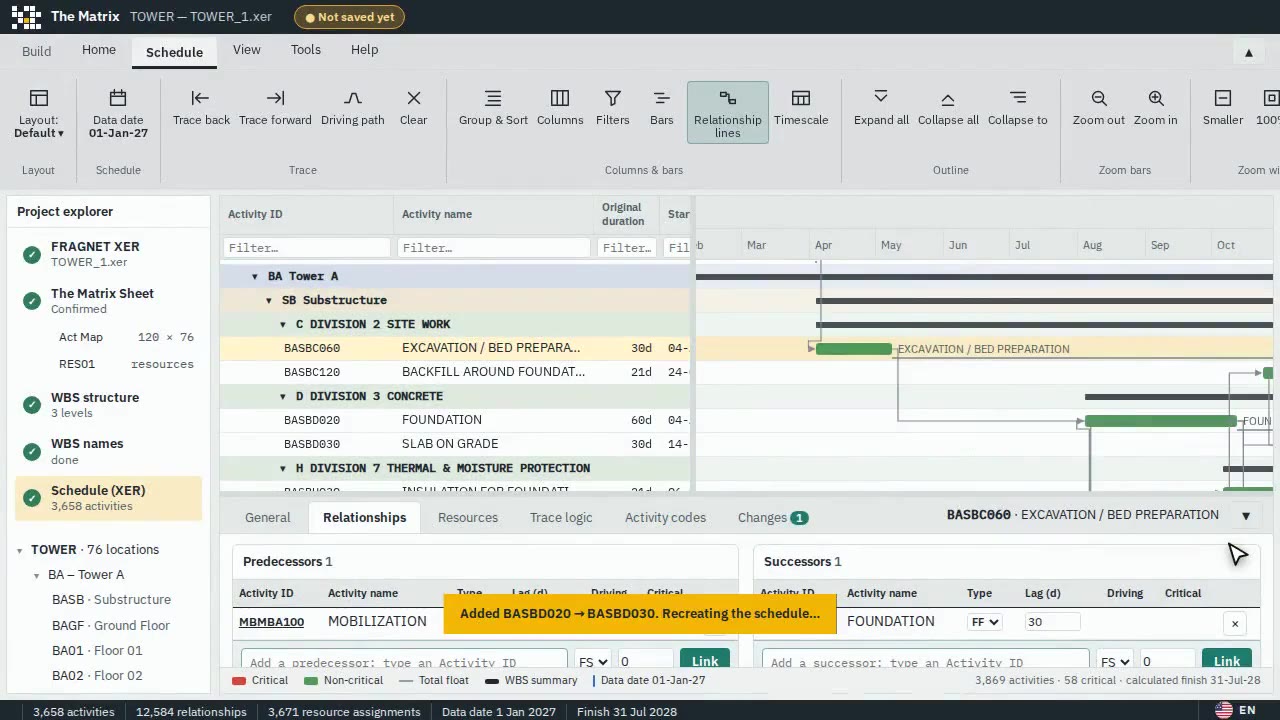
Scheduling, the easy way.
Build the project schedule in a way you have never done before: describe the work once, and let The Matrix do the rest.
Of the usual time
Build even complex programmes in about a quarter of the time it takes to create them by hand in Primavera P6.
Easy as never before
Build your schedule as if it were one room, or one section of road, as a simple template. The Matrix repeats it across every block, floor or zone, with the logic and resources already in place.
The whole team builds it
Civil, MEP and finishing engineers can work on the schedule at the same time. They don't need to be planners.
See it before you import it
Preview the whole schedule, with its activities, logic, resources and quality score, before it ever reaches Primavera P6. No surprises after import.
Everything you need, nothing you don’t.
Every location, its own work
Switch activity types on or off for each location, so a basement, a typical floor and the roof each get exactly the work they need.
Buildings, roads and networks
A room, a floor, a villa or a kilometre of road: if the work repeats, The Matrix can build it, at any scale.
Resources loaded as you build
Assign labour, plant and materials in the template, then adjust them per location from simple sheets.
Quality checked at the source
A schedule-quality check runs before the XER is written, so problems are fixed before anyone sees them.
Excel in, nothing new to learn
Your team describes the work in a familiar Excel workbook. No new software to master, no P6 licence needed to contribute.
XER out, straight into P6
The result is a standard XER file that imports into Primavera P6 like any other schedule, ready to baseline.
Build it with The Matrix. Check it with DatumLens.
Each tool works on its own, and the XER file is the common language. Generate the programme, then open it in DatumLens for a full quality score before it goes to the client.
- Same XER file, no conversion
- Quality score before submission
- Save with the Planner Bundle
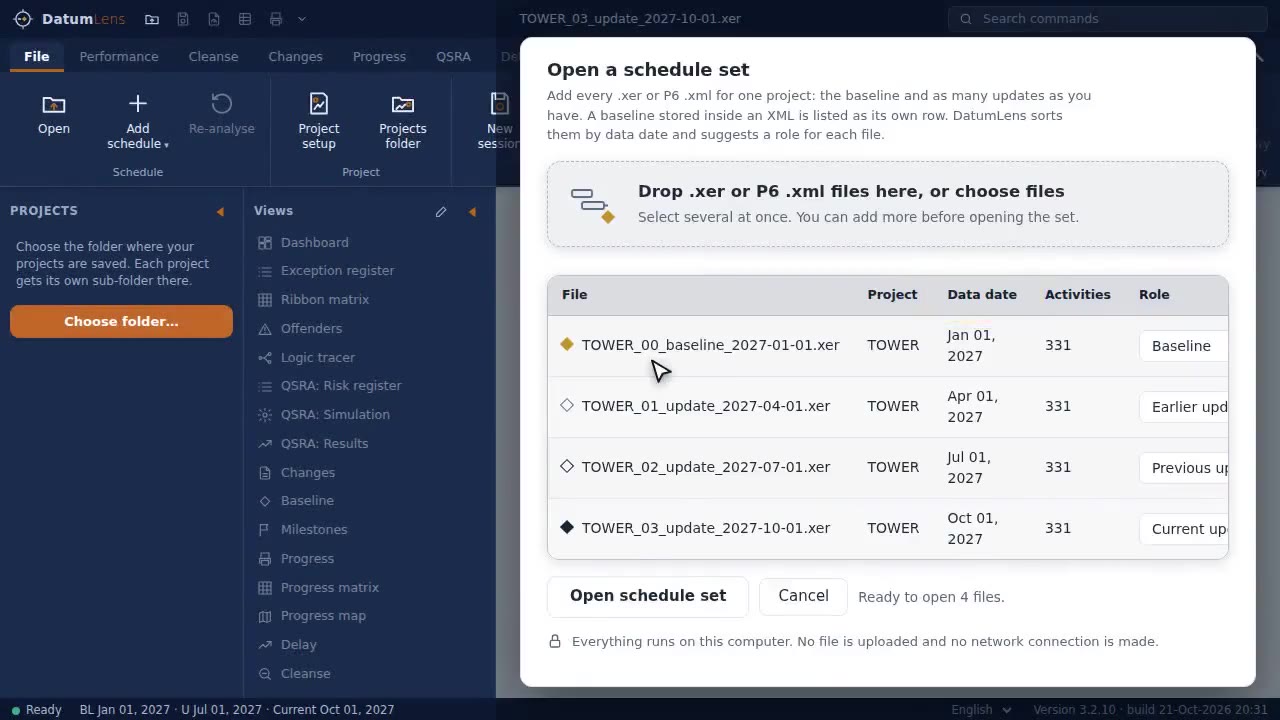
Three steps to your first result.
Describe the FRAGNET
List the activity types for one location, with their durations and the logic between them.
List the locations
Add the blocks, floors or zones, and mark which activity types apply where.
Generate the XER
The Matrix checks the quality, builds every activity and relationship, and writes a file for P6.
What is a FRAGNET?
Do I need Excel?
Which format does it produce?
Is my project data uploaded?
How is it licensed?
Build your next programme faster.
All features, no credit card, nothing to cancel. Your files stay on your computer.