
Know what your schedule is really telling you.
DatumLens checks the quality of a schedule, compares every update, traces the true cause of delay, runs a full schedule risk analysis (QSRA), shows progress graphically and simulates how the project builds. Privately, on your own computer, in minutes.
One tool for the whole review.
Schedule quality
45 checks across the DCMA 14-point assessment and two further frameworks, with a clear score and a logic tracer.
Update comparison
See exactly what changed between two updates: dates, durations, logic, resources and progress.
Delay analysis
Finish movement window by window, and the cause of delay traced from the longest path.
Progress & simulation
Progress weighted by cost, duration or resources, by area, with an animated build-up simulation.
Schedule risk (QSRA)
Monte Carlo simulation with P50, P80 and P90 dates and the activities that drive the spread.
Cleanse
Find redundant links, open ends and hard constraints, preview the effect, and export a clean XER.
Combine XER files
Merge multi-project files into one programme, keeping links, calendars and codes.
Reports that read well
Assessment, executive, changes, delay, progress and risk reports with your logo and a clear narrative.
Ask DatumLens
Ask questions in plain words. A local AI explains exact results. Nothing leaves your machine.
Find the cause, not the symptoms.
A schedule can fail a dozen quality checks and still meet its dates. DatumLens keeps the two apart. The reason for a delay is read from the longest path: the first open activity is the driver, and every successor carries it to the finish.
- The driver named, with its status, dates and float
- How the delay builds along the path, activity by activity
- Recovery aimed at the path and the closest other paths
Illustration of a DatumLens delay trace.
See exactly what changed.
Load the baseline and every update, and DatumLens lines them up by data date. Each change is shown on the bars and listed in a register you can filter and export.
- Dates, durations, logic, resources and progress, compared activity by activity
- Finish movement, update by update
- An integrity check on how each update was made
- A changes report ready to issue
Illustration with sample figures.
Watch the project build itself.
Measure progress the way your contract does, weighted by cost, duration or resources, and see it by area. Then play an animated simulation of how each building fills, floor by floor, from the schedule.
- Progress weighted by cost, duration or resources
- A progress matrix by area, building or zone
- A map you draw over your own site plan
- An animated simulation of each building, floor by floor
Illustration with sample figures.
Know the chance of finishing on time.
DatumLens includes a full quantitative schedule risk analysis. It runs a Monte Carlo simulation of activity durations and risks on your P6 schedule and shows how likely each finish date really is. No separate risk add-on to buy.
- P50, P80 and P90 finish dates
- The probability of meeting your contract completion date
- The activities that drive the spread, ranked
- Runs on your own computer, like everything else in DatumLens
Illustration with sample figures.
Ask in plain words. Get exact answers.
Counts, rankings and lookups are calculated from your schedule, never guessed. A local AI explains the result in clear language, and every figure it writes is checked against the data.
- Activity IDs come with their names
- Invented figures are flagged before they reach a report
- Runs on a local model: no account, nothing leaves the machine
DatumLens: The finish moved 14 days. The driver is Foundation works (95% complete, float −9.4 d). Its delay is carried through Structure, Façade and Systems testing to completion.
Three steps to your first result.
Open your files
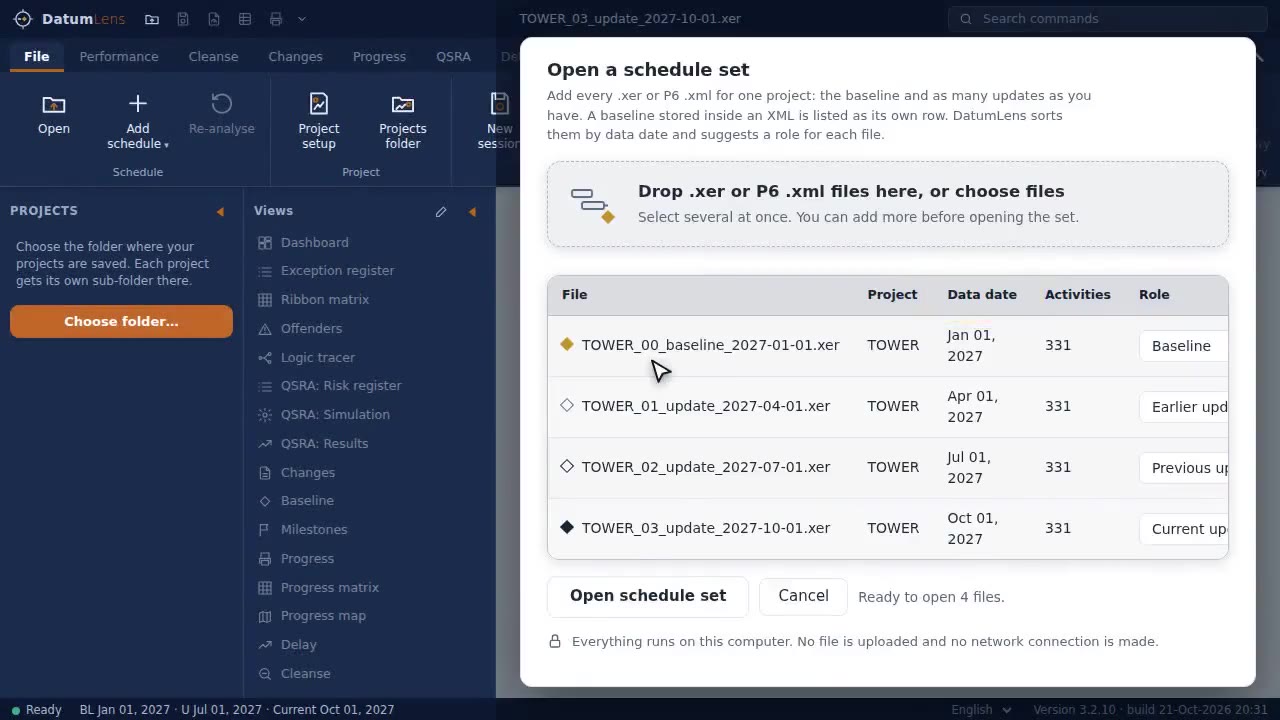
Load Primavera P6 XER or XML files. Add a baseline and its updates and DatumLens orders them by data date.
Review the results
Quality score, changes, delay trace and risk, each a click away, with the worst offenders listed.
Issue the report
Export a clear report with your logo and commentary, or a cleansed XER back to P6.
Which files does DatumLens open?
Is my schedule uploaded anywhere?
Does the AI send my data to the cloud?
Does DatumLens include schedule risk analysis (QSRA)?
Which languages are supported?
See your schedule clearly.
All features, no credit card, nothing to cancel. Your files stay on your computer.